Best Laptops for Accountants in Egypt: 6 Choices for Accounting and Excel
Best Laptops for Accountants in Egypt: 6 Choices for Accounting and Excel
Best Laptops for Accountants in Egypt: 6 Choices for Accounting and Excel
The bestlaptop for accountants is not necessarily the device with the most powerful graphics card or highest-end processor on the market. It is the device that gives you speed and stability when working with large Excel files, accounting software, reports, a browser, email, and several applications at the same time.For most accountants, a Core i5 processor or its equivalent, 16GB RAM, and a 512GB SSD provide a balanced starting point for professional use. A comfortable display and numeric keypad also become increasingly important if you work with numbers and spreadsheets for long hours.Suitable options for these needs include theLenovo IdeaPad Slim 3,HP 15,Asus Vivobook, and MSI Modern, while Dell Latitude devices are more oriented toward corporate use and mobility.
What Are the Best Laptop Specifications for Accountants?
If your main use includes Excel, accounting software, report preparation, and file management, look for a device that balances processor speed, RAM capacity, storage speed, and ease of use instead of paying extra for specifications you will not benefit from.
The Right Processor for Accounting
For basic accounting use, a modern Core i3 processor or its equivalent can handle simple tasks, but a Core i5 or Ryzen 5 will be a better choice if you want a device for daily use over several years.If you work with large Excel files, Power BI, or several applications and databases at the same time, you may benefit from a Core i7, Core Ultra, or Ryzen 7.The processor family name alone is not enough; its generation, number of cores, and power consumption are also important factors when comparing two devices.
Is 8GB RAM Enough for Accounting?
8GB RAM may be sufficient for basic use, but it is not my first choice for a new device dedicated to daily accounting work.If your budget allows, choose:16GB RAM for normal professional use and multitasking.32GB, however, becomes more practical only for very demanding workloads, and most accountants do not need it.Having 16GB is especially helpful when Excel is open alongside the browser, email, accounting software, and meeting applications at the same time.
What Storage Capacity Is Suitable for an Accountant?
It is best to choose an SSD instead of an HDD as the primary storage drive because it starts the system and opens programs and files more quickly.A 512GB SSD is suitable for most users and offers more room than 256GB for files and applications over time.If you keep a large volume of data and documents on the device itself, you can consider 1TB or use additional storage and backups.
Does an Accountant Need a Powerful Graphics Card?
Usually not.Excel, accounting software, and essential office tasks generally do not justify paying extra for a dedicated gaming graphics card. The budget can instead go toward more RAM, a better processor, a better display, or a larger SSD.This changes if you will also use the same device for design, video editing, or gaming. If your use combines work and gaming, you can review the guide to the best laptop processor for gaming to understand the requirements of the more powerful category before making a decision.
Which Is Better for an Accountant: A 14, 15.6, or 16-Inch Display?
15.6 and 16-inch displays are highly suitable for anyone who works on spreadsheets and reports for long periods because the larger viewing area makes it easier to see more columns and data comfortably.A 14-inch display is more suitable for an accountant who frequently travels between the office, clients, and meetings and wants a device that is easier to carry.If entering numbers is a major part of your work, also check whether the model you choose includes a Numeric Keypad. It is a small detail that can make a significant difference in daily use.
Best Laptop Types for Accountants
Lenovo IdeaPad Slim 3 15IRH10 - Best Value for Daily Accounting Use
TheLenovo IdeaPad Slim 3 15IRH10is a suitable choice for accountants looking for a balanced device for daily work, especially with its Intel Core i5-13420H processor, 16GB RAM, and 512GB SSD. It also features a 15.3-inch WUXGA display, providing a comfortable viewing area when working with Excel spreadsheets, reports, and data for long periods.
Advantages of the Lenovo IdeaPad Slim 3 15IRH10 for Accountants
16GB RAM helps Excel, accounting software, and several applications run smoothly at the same time.
A 512GB SSD provides good system and file-access speed with suitable capacity for professional use.
The Intel Core i5-13420H processor is suitable for office work, multitasking, and daily accounting use.
The 15.3-inch WUXGA display provides ample space for viewing spreadsheets, columns, and reports.
Integrated Intel UHD Graphics suit accounting software without the added cost of a dedicated gaming graphics card.
Its balanced processor, memory, and storage configuration makes it a practical choice for long-term use.
Suitable for: Entry-level and intermediate accountants, small-business owners, and those who rely daily on Excel, Office, and accounting software.
HP AI 15-fd2019ne - Best for Multitasking and Large Excel Files
TheHP AI 15-fd2019ne is a powerful option for accountants who run several programs simultaneously or work with large Excel files and multiple reports during the working day. It combines an Intel Core Ultra 5-225U processor, 24GB DDR5 RAM, a 512GB SSD, and a 15.6-inch FHD display. These specifications provide excellent multitasking capacity without requiring a dedicated gaming graphics card.
Advantages of the HP AI 15-fd2019ne for Accountants
24GB DDR5 RAM provides excellent capacity for running Excel, a browser, accounting software, and meeting applications simultaneously.
The Intel Core Ultra 5-225U processor is suitable for professional use and everyday multitasking.
A 512GB SSD helps the system and programs start quickly and provides fast access to files.
The 15.6-inch FHD display provides a comfortable area for viewing spreadsheets and reports.
It comes with Windows 11, making it ready for use with a wide range of compatible business and accounting applications.
It relies on integrated Intel graphics, focusing its specifications on what accountants actually need instead of adding the cost of a dedicated gaming graphics card.
Its 24GB memory makes it particularly suitable for users who work with large files or multitask continuously.
Suitable for: Professional accountants, accounting managers, intensive Excel users, and those who work with several programs and files simultaneously.If HP devices are your priority and you want to compare different models and price categories, the HP laptop prices in Egypt guide can help you explore other options before choosing the device that best meets your needs.
Asus Vivobook 16 - Best for Those Who Prefer a Larger Display
If you spend much of your day working with Excel files and spreadsheets, theAsus Vivobook 16 X1607CA offers the clear advantage of a large 16-inch WUXGA display.The recommended model features an Intel Core Ultra 5 processor, 16GB RAM, a 512GB SSD, Windows 11, and integrated Intel graphics.
Advantages of the Asus Vivobook 16 for Accountants
A 16-inch display provides a comfortable workspace for spreadsheets and reports.
WUXGA resolution displays more vertical content than conventional 16:9 screens.
16GB RAM.
Fast 512GB SSD.
The Core Ultra 5 processor delivers suitable multitasking performance.
It does not rely on a dedicated gaming graphics card, which suits accounting use.
Suitable for: Accountants who prioritize display size and workspace and spend long hours working with Excel and reports.
MSI Venture 15 AI A2HMG - Powerful Performance for Accounting and Multitasking
TheMSI Venture 15 AI A2HMG is suitable for accountants who need powerful performance while running Excel, accounting software, and several applications simultaneously. It combines an Intel Core Ultra 7-255H processor, 16GB RAM, a 512GB SSD, and a 15.6-inch FHD display, offering powerful professional specifications without relying on an expensive dedicated gaming graphics card.
Advantages of the MSI Venture 15 AI A2HMG for Accountants
16GB RAM is suitable for multitasking and running several programs simultaneously.
The Intel Core Ultra 7-255H processor provides powerful performance for large Excel files and professional applications.
A 512GB SSD helps programs start quickly and provides fast access to files.
The 15.6-inch FHD display offers ample space for spreadsheets and reports.
Integrated Intel Arc Graphics make it more suitable for professional use than gaming devices with expensive RTX cards.
It comes with Windows 11, supporting a wide range of accounting and business applications.
Suitable for: Professional accountants, accounting managers, and those who work with large Excel files or use several programs and applications simultaneously.
Dell Latitude 5550 - Best for Accountants in Corporate Environments
The Dell Latitude series differs slightly from consumer laptops because it is designed more specifically for business environments. Therefore, theDell Latitude 5550 is a strong choice for accountants working in companies or anyone who prioritizes a professional-grade device.The 2B range includes a Latitude 5550 configuration with an Intel Core Ultra 7-155U processor, a 512GB SSD, and a 15.6-inch FHD display, while other configurations in the series are also available.
Advantages of the Dell Latitude 5550 for Accountants
It belongs to the business category designed for professional use.
A 15.6-inch display suitable for spreadsheets and data.
512GB SSD.
A Core Ultra processor suitable for business tasks and multitasking.
A practical option for accountants and accounting managers in corporate environments.
Suitable for anyone who prioritizes a business device rather than simply a laptop for home use.
Suitable for: Corporate accountants, accounting managers, auditors, and users with intensive professional workloads.If the files and processes you work with also involve databases or programming tools, your priorities may differ slightly. In that case, reviewing the guide to the right laptop for programming will help you understand programming requirements separately.
Dell Latitude 5450 - Best for Accountants Who Travel Frequently
Not every accountant needs a large display. If your day includes client visits, meetings outside the office, and frequent travel, theDell Latitude 5450 may be more suitable.The model features an Intel Core Ultra 5-125U processor, 8GB RAM, a 512GB SSD, a 14-inch FHD display, and Windows 11.
Advantages of the Dell Latitude 5450 for Accountants
A 14-inch display makes the device more suitable for travel.
A Core Ultra 5 processor suitable for professional use.
512GB SSD.
Windows 11.
It belongs to the business-oriented Latitude series.
A suitable choice for working between the office, meetings, and client locations.
Suitable for: External auditors, accountants who visit clients, and users who prioritize mobility.If the device will remain on a desk most of the time and you work with very large spreadsheets, a 15.6 or 16-inch display will generally be more comfortable.
What Is the Best Choice Among These Devices?
If you want a quick answer to help you choose the right laptop based on how you use it:For the best balance between price and specifications: Lenovo IdeaPad Slim 3 15IRH10.For large Excel files and multitasking: HP AI 15-fd2019ne with 24GB RAM.For a larger and more comfortable display when working with spreadsheets and reports: Asus Vivobook 16.For the strongest professional performance while running several applications simultaneously: MSI Venture 15 AI A2HMG.For professional use within companies and business environments: Dell Latitude 5550.For accountants who frequently travel between the office, meetings, and clients: Dell Latitude 5450.No single device suits every accountant. The best choice depends on the size of the Excel files you work with, the number of programs you run at the same time, and whether you need a large display or a device that is easier to carry.
Best Laptop for an Accounting Student
Students studying commerce or accounting generally do not need expensive professional-grade specifications if their use is focused on Office, Excel, lectures, and research.A device with a modern processor, at least 8GB RAM as a practical minimum, preferably 16GB if the budget allows, and an SSD will provide a more balanced experience.Among the previous options, you can consider the Lenovo IdeaPad Slim 3 or HP 15, depending on your budget and the available specifications.Because a student's needs differ from those of an accountant already working in a company, the best laptops for studying guide offers a broader comparison of devices suitable for university life.
Best Laptop for Excel
If Excel is the most important program in your day, focus on the following before purchasing:
A modern processor with good performance.
16GB RAM, especially for large files.
A fast SSD.
A 15.6 or 16-inch display if you work for long periods.
A numeric keypad whenever available.
A comfortable keyboard.
The ability to connect an external display if your workstation uses more than one screen.
Among the previous recommendations, the Asus Vivobook 16 stands out for its display size, while the Lenovo IdeaPad Slim 3 and HP 15 offer balanced configurations with 16GB RAM and a 512GB SSD.
Best Laptop for Accounting Software
Accounting software requirements differ from one program to another, so it is best to check the requirements of the software your company uses before purchasing a device, especially the operating system, RAM, and processor.In general, using accounting software alongside Excel, a browser, and email makes 16GB RAM and a 512GB SSD a more comfortable choice than the minimum, especially if the device will be used for long hours every day.For companies that rely on browser-based, server-based, or cloud systems, reliability, battery life, keyboard, and display may become more important than having an exceptionally powerful processor.
Is Windows or Mac Better for Accountants?
The decision primarily depends on the software you use.If your company uses accounting applications or internal systems designed for Windows, it is best to confirm compatibility before considering another operating system.For this reason, the main recommendations here focus on Windows devices from Lenovo, HP, Asus, MSI, and Dell instead of including a MacBook simply because it is a premium device.The simplest rule is: Choose the operating system supported by your work tools, not the most expensive one.
Common Mistakes When Choosing a Laptop for Accounting
Buying a gaming laptop merely because its specifications appear more powerful may mean spending a large part of your budget on a graphics card that provides no benefit for accounting work.Conversely, choosing a device with very limited memory solely because of its lower price may lead to a slower experience as soon as you run several programs simultaneously.Do not focus on the term Core i7 while ignoring the processor generation, RAM, or display, and do not use price as the only basis for comparison.For accountants in particular, details such as display size, keyboard comfort, numeric keypad, and ports may affect the daily experience more than some marketing specification figures.
How Do You Choose the Best Laptop for Accountants Based on Your Use?
Choose the Lenovo IdeaPad Slim 3 or HP 15 if you want a balanced device for daily accounting.Choose the Asus Vivobook 16 if a large display and spreadsheet work are among your highest priorities.Choose the MSI Modern 15 if you need higher processor performance with multiple applications.Choose the Dell Latitude 5550 if you work in a corporate environment and prefer business devices.Choose the Dell Latitude 5450 if portability is more important to you than display size.Before making a final decision, compare the actual specifications of each model because the same series may be available with different processors, RAM capacities, and operating systems.If you want to broaden the comparison beyond these six recommendations, thelaptop collection at 2B includes options from HP, Lenovo, Dell, Asus, Acer, MSI, and Apple for different use levels and budgets.
Frequently Asked Questions About the Best Laptops for Accountants
What Is the Best Laptop for Accountants?
The best laptop for an accountant combines a modern processor, suitable RAM, a fast SSD, and a comfortable display. For moderate use, a Core i5 or equivalent with 16GB RAM and a 512GB SSD provides a strong starting point. Suitable options include the Lenovo IdeaPad Slim 3, HP 15, and Asus Vivobook 16.
Is a Core i5 Suitable for Accounting?
Yes, a modern Core i5 processor is suitable for most daily accounting tasks, including Excel, Office applications, accounting software, and moderate multitasking. The need for a Core i7 or higher category becomes more relevant with intensive workloads, large files, and multiple applications.
Is 8GB RAM Enough for an Accountant?
It is sufficient for basic tasks, but 16GB is a better choice for a new device dedicated to daily work, especially when using Excel, a browser, accounting software, and several applications simultaneously.
Does an Accountant Need a Laptop With a Dedicated Graphics Card?
Most accountants do not need a dedicated graphics card for Excel and conventional accounting work. It is generally better to allocate the budget to more RAM, a better processor, an SSD, or a more suitable display unless the device will also be used for graphics work or gaming.
Is a 14-Inch Laptop Suitable for Accountants?
Yes, especially for those who travel frequently. An accountant who works for long hours on large spreadsheets, however, may find a 15.6 or 16-inch display more comfortable.
Is an SSD Important for Accounting Software?
Yes. An SSD starts the system and opens programs and files faster than a traditional mechanical drive. A 512GB capacity is a practical choice for most modern work devices.
What Is the Best Laptop for an Accountant Who Uses Excel Extensively?
An intensive Excel user benefits from a large display, 16GB RAM, a modern processor, and an SSD. The Asus Vivobook 16 suits those who prioritize screen space, while the Lenovo IdeaPad Slim 3 and HP 15 provide balanced specifications for daily use.
Is the Dell Latitude Suitable for Accountants?
Yes. The Dell Latitude series is designed for professional use. The Latitude 5550 is suitable for those who want a 15.6-inch display for office work, while the Latitude 5450 suits those who prefer a 14-inch display and greater portability.
Choose the Device That Saves You Time Every Day
A good laptop for an accountant is not measured by the highest specification printed on the box, but by its ability to make daily working hours smoother. The speed of opening Excel files, switching between programs, display clarity, ease of entering numbers, and speed of accessing files are all factors worth considering in your purchasing decision.For most uses, start by comparing 16GB RAM, a 512GB SSD, and a modern processor, then decide on the display size and category that suit the way you work. Choosing between Lenovo, HP, Asus, MSI, and Dell then becomes much easier because you are comparing devices according to your actual needs rather than brand name alone.


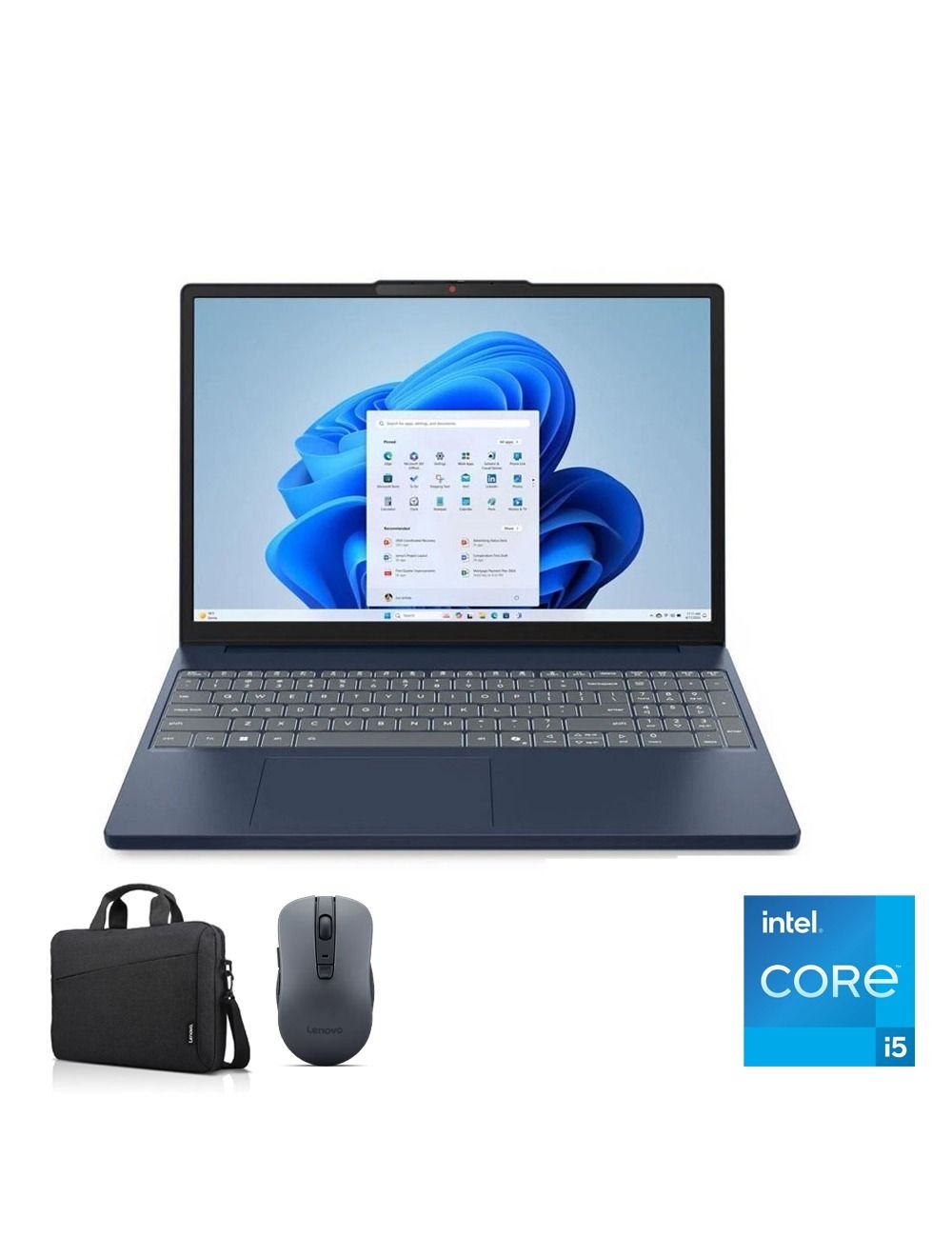 The Lenovo IdeaPad Slim 3 15IRH10 is a suitable choice for accountants looking for a balanced device for daily work, especially with its Intel Core i5-13420H processor, 16GB RAM, and 512GB SSD. It also features a 15.3-inch WUXGA display, providing a comfortable viewing area when working with Excel spreadsheets, reports, and data for long periods.
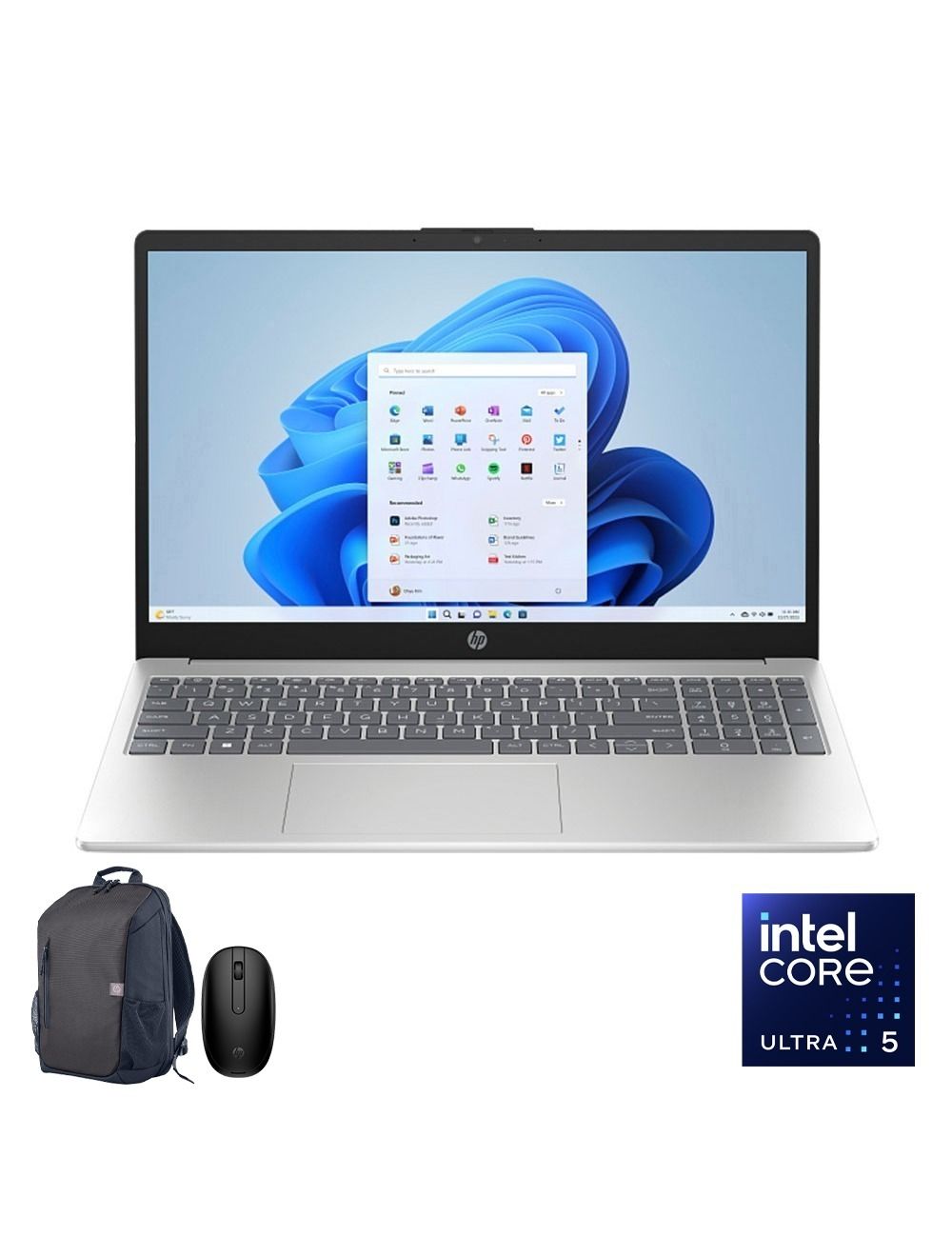 The HP AI 15-fd2019ne is a powerful option for accountants who run several programs simultaneously or work with large Excel files and multiple reports during the working day. It combines an Intel Core Ultra 5-225U processor, 24GB DDR5 RAM, a 512GB SSD, and a 15.6-inch FHD display. These specifications provide excellent multitasking capacity without requiring a dedicated gaming graphics card.
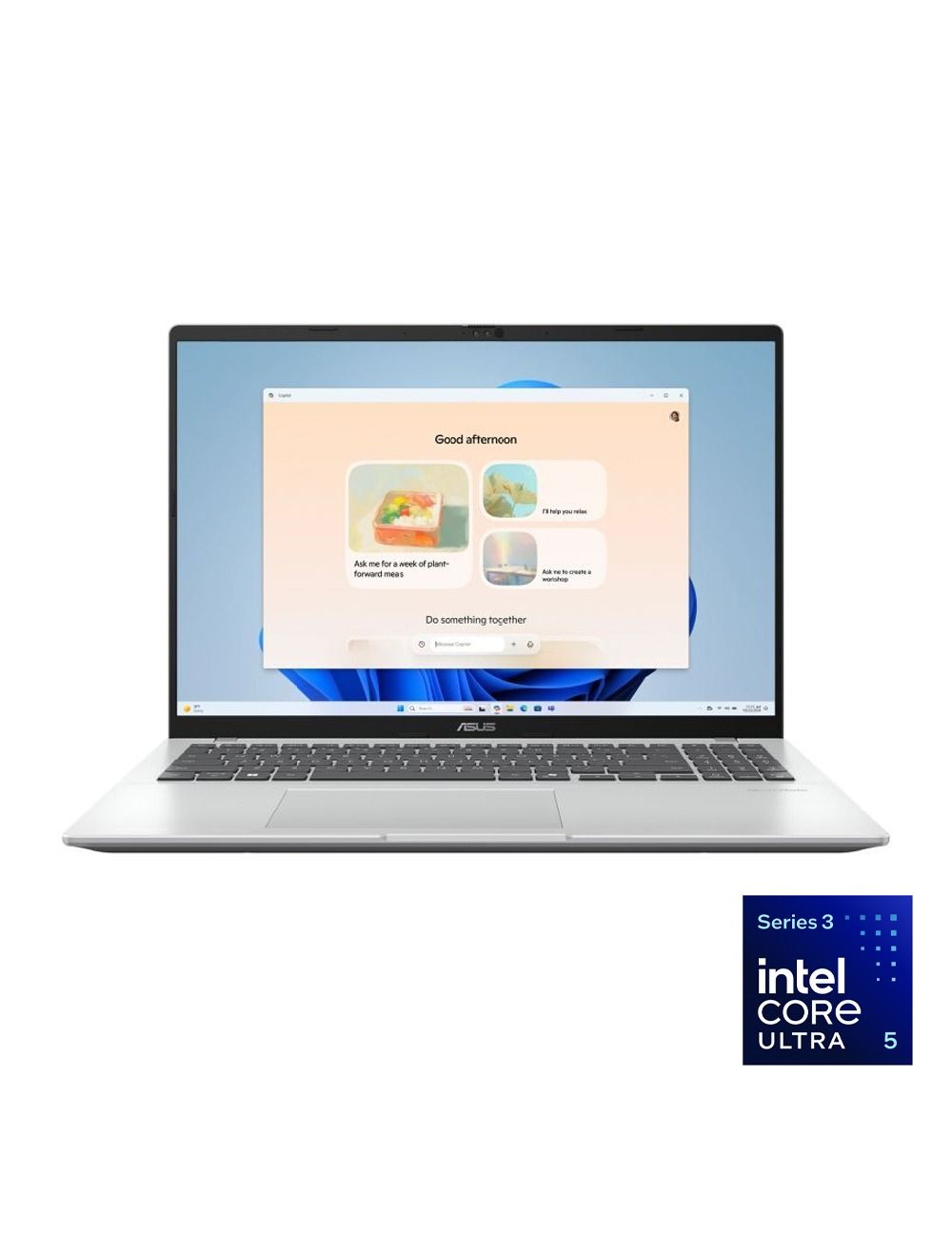 If you spend much of your day working with Excel files and spreadsheets, the Asus Vivobook 16 X1607CA offers the clear advantage of a large 16-inch WUXGA display.
The recommended model features an Intel Core Ultra 5 processor, 16GB RAM, a 512GB SSD, Windows 11, and integrated Intel graphics.
If you spend much of your day working with Excel files and spreadsheets, the Asus Vivobook 16 X1607CA offers the clear advantage of a large 16-inch WUXGA display.
The recommended model features an Intel Core Ultra 5 processor, 16GB RAM, a 512GB SSD, Windows 11, and integrated Intel graphics.
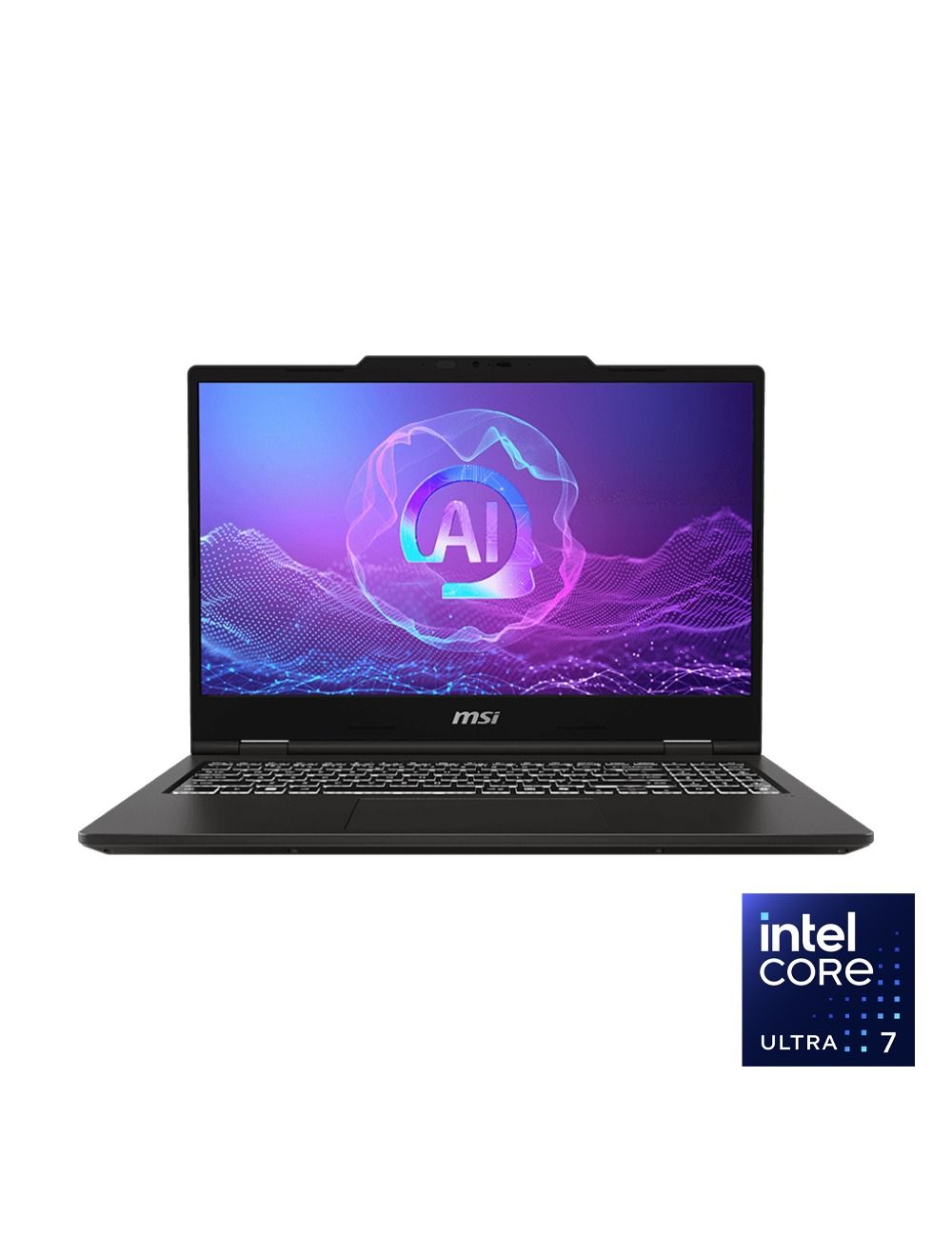 The MSI Venture 15 AI A2HMG is suitable for accountants who need powerful performance while running Excel, accounting software, and several applications simultaneously. It combines an Intel Core Ultra 7-255H processor, 16GB RAM, a 512GB SSD, and a 15.6-inch FHD display, offering powerful professional specifications without relying on an expensive dedicated gaming graphics card.
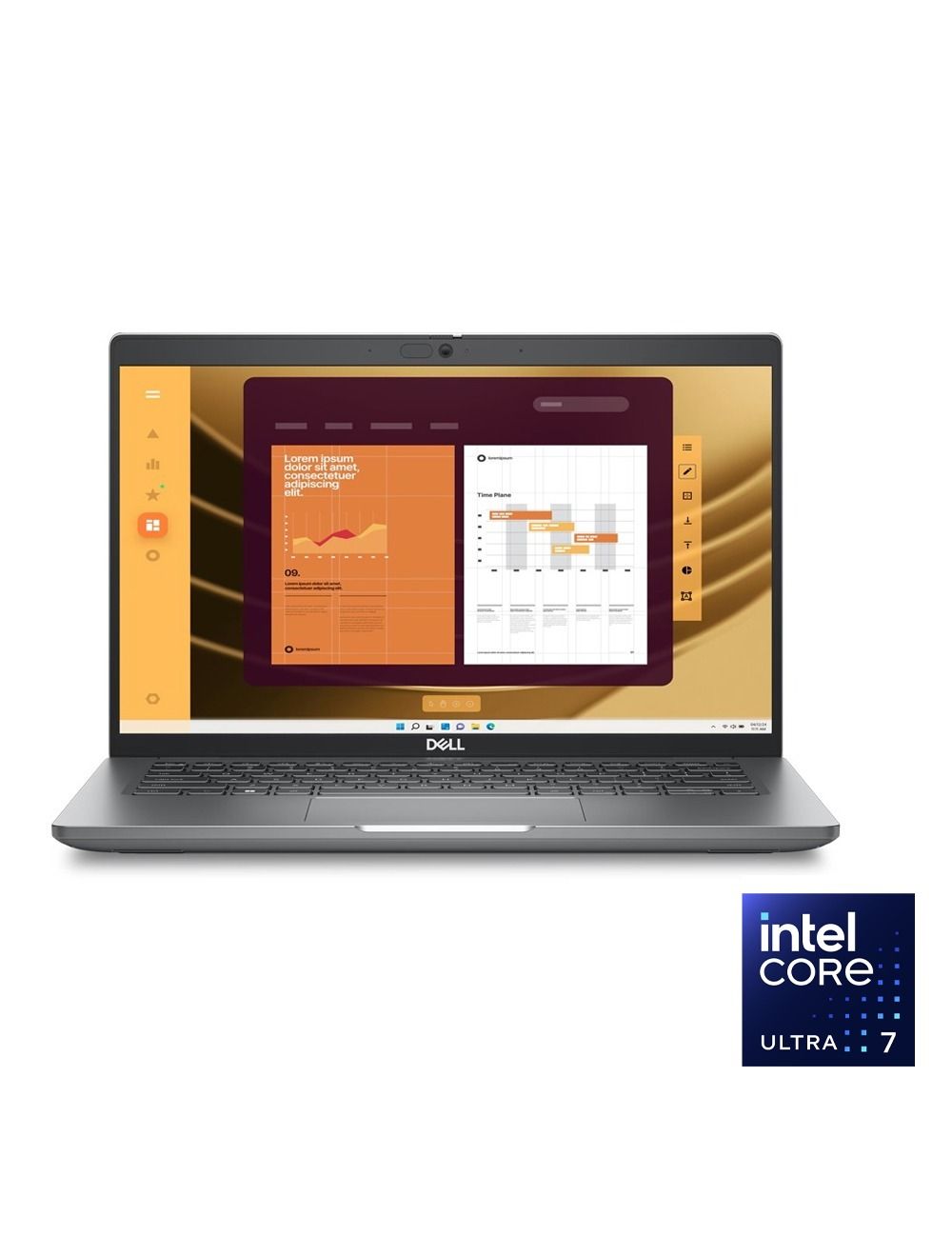 The Dell Latitude series differs slightly from consumer laptops because it is designed more specifically for business environments. Therefore, the Dell Latitude 5550 is a strong choice for accountants working in companies or anyone who prioritizes a professional-grade device.
The 2B range includes a Latitude 5550 configuration with an Intel Core Ultra 7-155U processor, a 512GB SSD, and a 15.6-inch FHD display, while other configurations in the series are also available.
The Dell Latitude series differs slightly from consumer laptops because it is designed more specifically for business environments. Therefore, the Dell Latitude 5550 is a strong choice for accountants working in companies or anyone who prioritizes a professional-grade device.
The 2B range includes a Latitude 5550 configuration with an Intel Core Ultra 7-155U processor, a 512GB SSD, and a 15.6-inch FHD display, while other configurations in the series are also available.
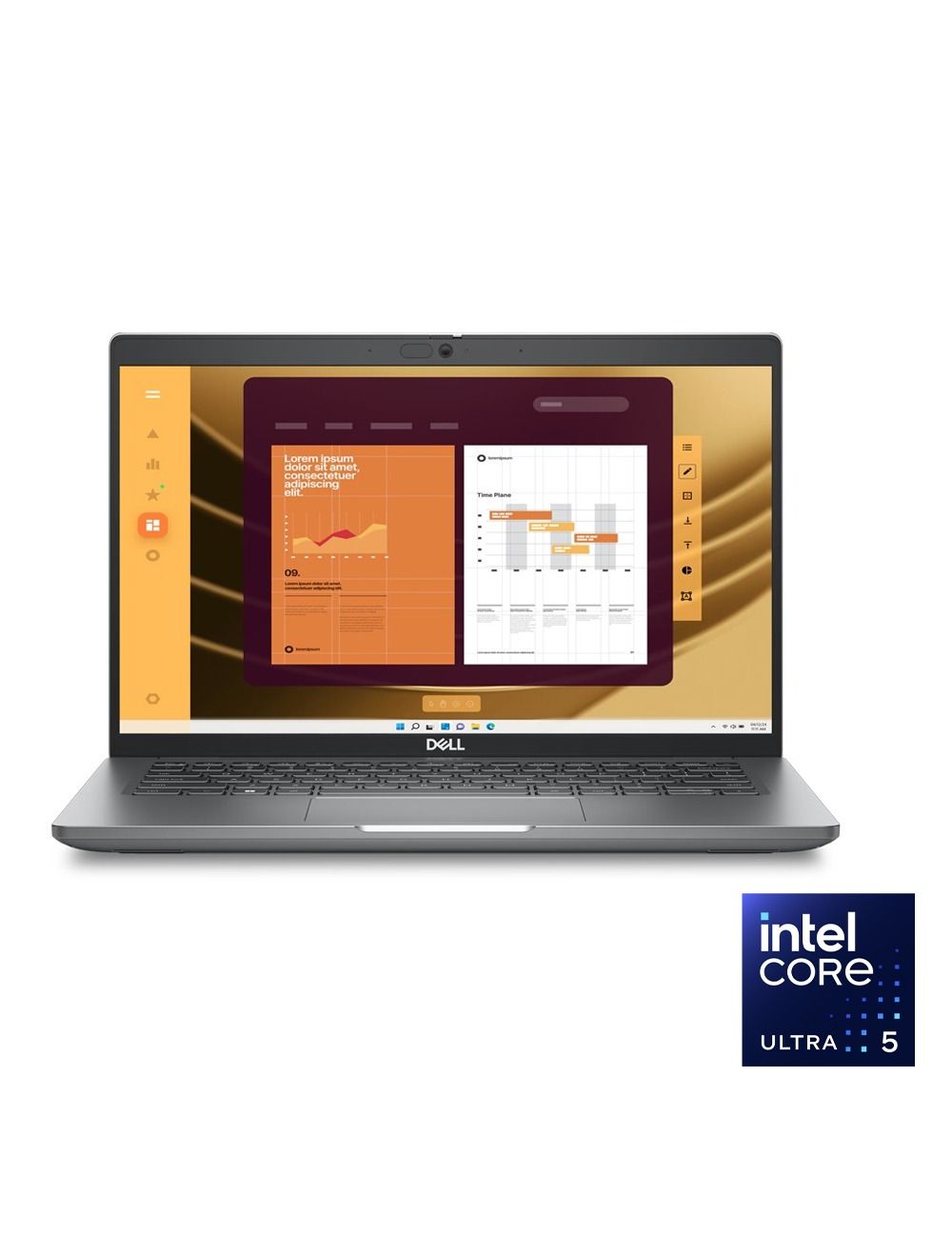 Not every accountant needs a large display. If your day includes client visits, meetings outside the office, and frequent travel, the Dell Latitude 5450 may be more suitable.
The model features an Intel Core Ultra 5-125U processor, 8GB RAM, a 512GB SSD, a 14-inch FHD display, and Windows 11.
Not every accountant needs a large display. If your day includes client visits, meetings outside the office, and frequent travel, the Dell Latitude 5450 may be more suitable.
The model features an Intel Core Ultra 5-125U processor, 8GB RAM, a 512GB SSD, a 14-inch FHD display, and Windows 11.


Comments